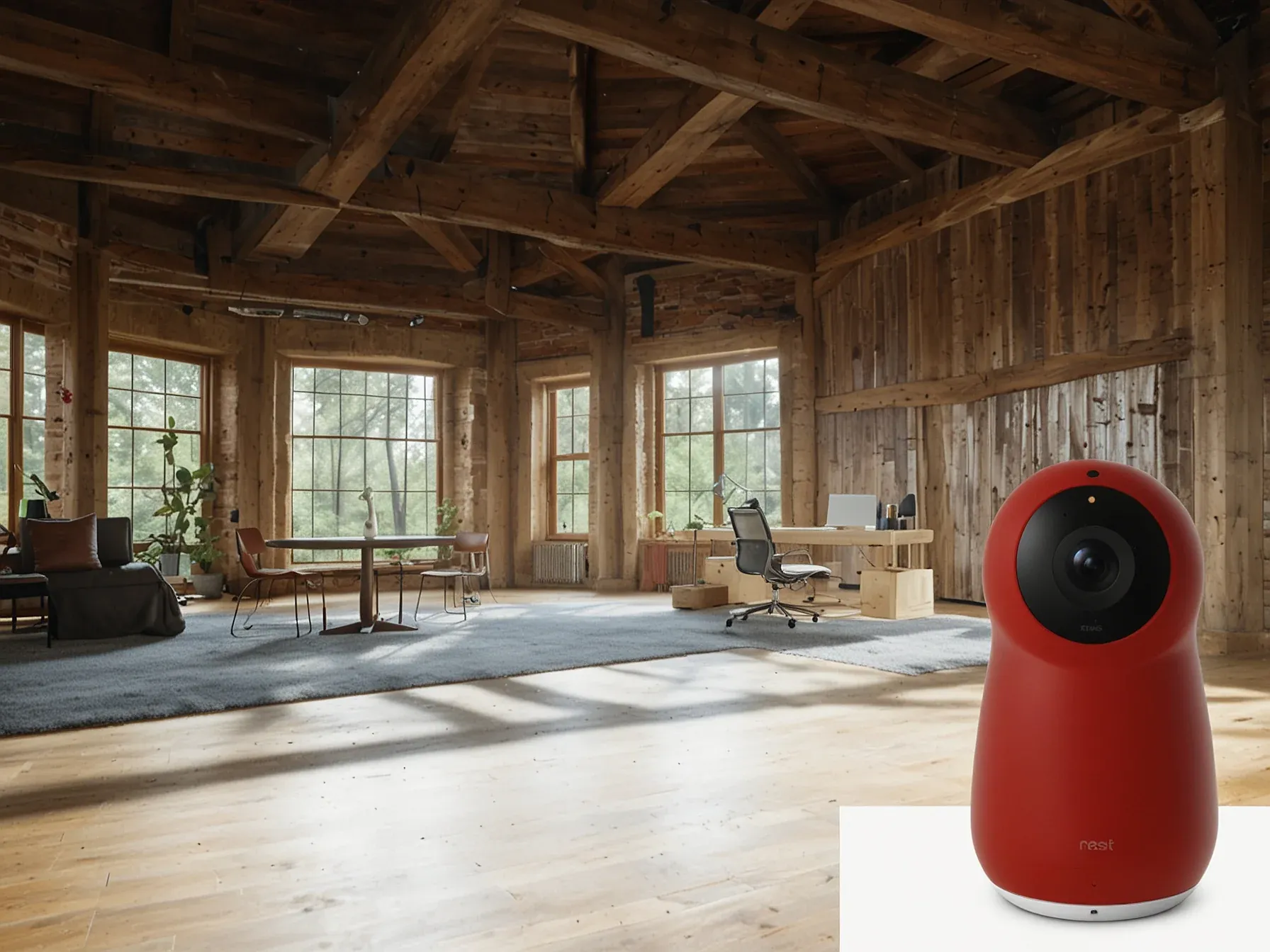
Editorial illustration for Google Nest Cam 2K Uses Gemini AI to Slash Noisy Security Camera Alerts
Gemini AI Cuts Noise in Google Nest Cam Security Alerts
Google Nest Cam 2K Review: AI-powered Gemini cuts spammy alerts
Smart home security cameras have always been liars. They panic over falling leaves, document the secret lives of squirrels, and treat every shift of afternoon light as a potential home invasion. The promise was always vigilance, but the reality was spam.
Google's new Nest Cam Indoor and Outdoor models, powered by its Gemini AI, claim to fix this. They're not selling sharper eyes, but a better brain.
The hardware is familiar. A new Berry red color for the indoor cam, and a bump to 2K resolution for both. The real shift is under the hood.
Gemini processes the video feed to understand context. The goal is to stop notifying you about everything, and start notifying you about the right things.
Imagine a camera that ignores your cat but watches for a stranger. That's the pitch.
Security cameras can be spammy, blowing up your phone with useless notifications. Manufacturers have been battling this issue with AI detection, but Google’s Gemini assistant takes things to a whole new level in its latest Nest Cams. The Nest Cam Indoor (Wired, 3rd Gen) and Outdoor (Wired, 2nd Gen) may not look new (apart from the Berry red indoor model), but they finally make the jump to 2K resolution, empowering a new level of AI insight, more accurate detection, and better animated notifications.
I’ve been testing both side by side with the previous generation Nest cameras for the last two weeks, and they clearly represent a leap in quality. But the Google Home app overhaul and hardware improvements were long overdue, and the infusion of Gemini AI is only partially successful, with top-tier features requiring a hefty subscription. The new Nest Cam Indoor and Nest Cam Outdoor boast the easiest setup experience I’ve encountered.
The WIRED review captures the ambivalence. It's a clear step up. Setup is simple.
The 2K resolution matters because it gives the AI more data to work with. Yet the best features, the ones that truly manage the notification chaos, sit behind Google's subscription paywall.
This is the real test. Google is betting we'll pay for silence. For a camera that knows when to shut up.
The alternative is a free device that cries wolf at every shadow. It's a compelling trade, if the AI is good enough. Early reports suggest it's capable but imperfect, a common stage for new AI features.
The value isn't in catching more criminals. It's in ignoring more squirrels. That might finally be a feature worth buying.
Further Reading
Related Reading
Browse all Google news → Policy & Regulation
 Akamai Proposes SAFE Cybersecurity Guidelines for AI Threats
 Policy & Regulation
 After ditching AI fitness apps and a Fitbit, I return to Peloton classes
 Policy & Regulation
 Sony Music, Warner Chappell Sue Anthropic Over "Blatant Theft
 Related Topic
 Google to End Free Access to Gemini AI for Non-Subscribers
LLMs & Generative AI
 Related Topic
 NVIDIA and Google Cloud let developers scale AI from prototype to production
Market Trends
 From Archives
 Reddit sues Perplexity over illegal scraping of its content from Google
 From Archives
 68% of tech leaders plan AI budget hikes; 39% see AI as top growth driver
 From Archives
 Study: AI chatbots cite less-known sites, unlike Google search results
LLMs & Generative AI
 From Archives
 Google links Earth AI with Gemini models, expands geospatial tools
LLMs & Generative AI
Common Questions Answered
How does Gemini AI improve alert accuracy in Google's new Nest Cams?
Gemini AI helps reduce unnecessary notifications by providing more intelligent detection of relevant events in home security footage. The advanced AI can distinguish between important and irrelevant movements, potentially cutting down on the 'notification spam' that traditional security cameras generate.
What resolution improvements are included in the new Nest Cam Indoor and Outdoor models?
The new Nest Cam models now feature 2K resolution, a significant upgrade that enhances image quality and enables more precise AI-powered detection. This higher resolution allows Gemini AI to analyze footage with greater detail, improving the accuracy of security alerts and notifications.
What specific Nest Cam models have been updated with Gemini AI technology?
Google has updated the Nest Cam Indoor (Wired, 3rd Gen) and the Nest Cam Outdoor (Wired, 2nd Gen) with Gemini AI capabilities. The indoor model now also comes in a new Berry red color option, while both models benefit from the advanced AI detection and 2K resolution improvements.
Further Reading
- Google Nest Cameras Get Gemini AI Upgrade in 2025 — Android Gadget Hacks
- New Google Nest Cams With 2K + Gemini AI: What You Need to Know — GearBrain (YouTube)
- Papers with Code - Latest NLP Research — Papers with Code
- Hugging Face Daily Papers — Hugging Face
- ArXiv CS.CL (Computation and Language) — ArXiv
